Export as HDR Video
Introducing HDR Video
In addition to supporting HDR photo capture, viewing, and editing, PhotonCam also supports exporting HDR photos as HDR videos. Depending on your needs, you can configure the following export video formats:
- Dynamic range: SDR, HDR PQ, and Dolby Vision (HLG)
- Aspect ratio: 9:16 and original aspect ratio
- Resolution: 1080P or 4K
- Duration: 5 seconds, 10 seconds, and 15 seconds
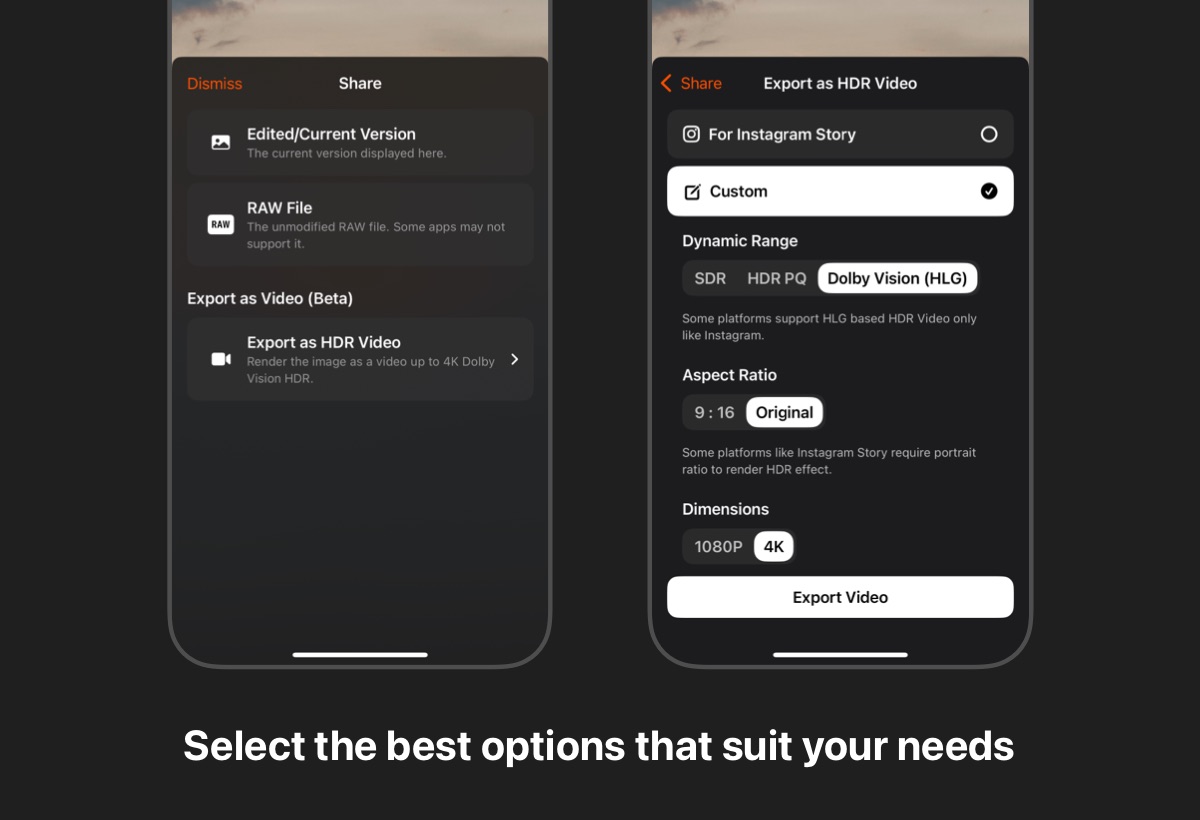
The exported video will be a still frame of the photo, suitable for uploading to platforms that support HDR video, such as Instagram, Rednote, or TikTok. The reason for providing different export options is that different platforms support different HDR formats and video specifications. Based on my experience, here are my conclusions:
- Instagram Stories: Only supports HLG HDR videos, and the video must be in portrait orientation.
- Instagram Posts: Only supports HLG HDR videos, supporting both landscape and portrait orientations; HDR photos using ISO standards are also supported.
- Rednote: Supports both HLG and PQ HDR videos, though I personally recommend uploading Dolby Vision (HLG) videos.
- TikTok: Supports both HLG and PQ HDR videos, though I personally recommend uploading Dolby Vision (HLG) videos.
How to Find the Export Feature?
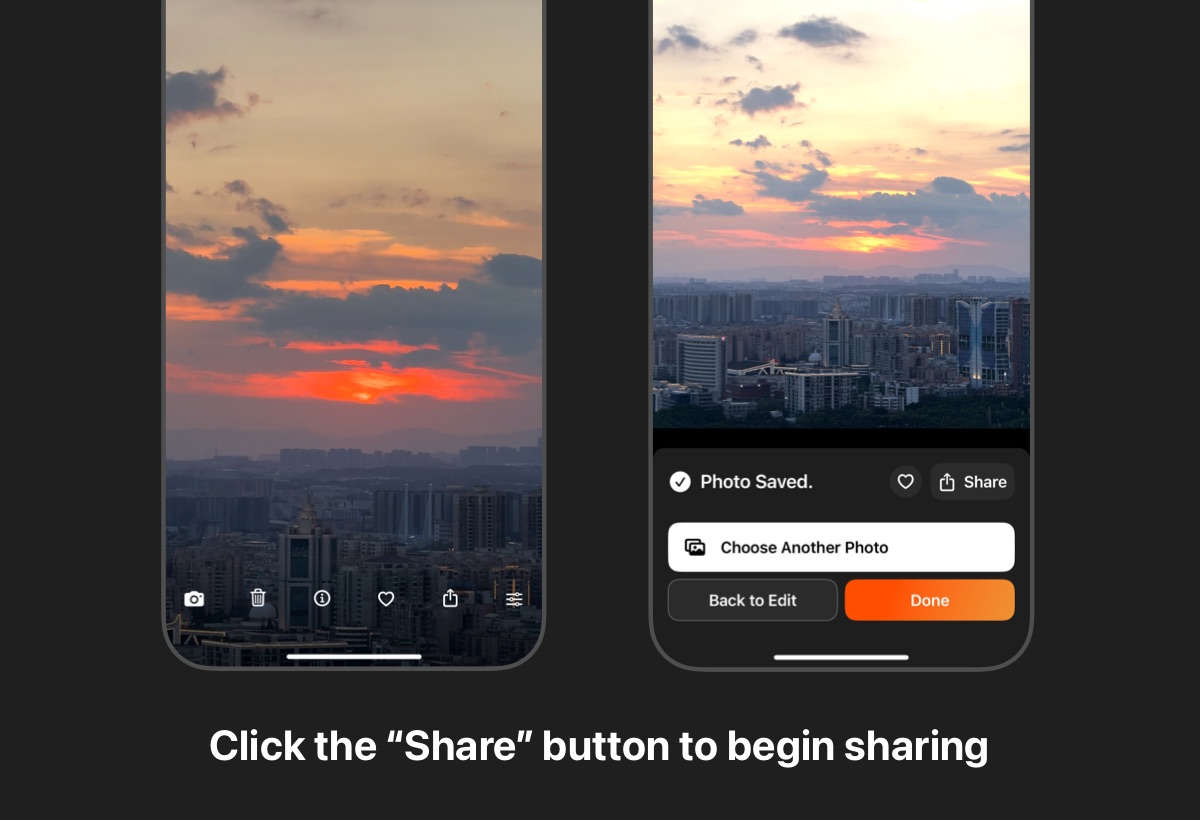
You can find the HDR video export feature through the following methods:
- Enter the full-screen view of an HDR photo and tap the "Share" button at the bottom;
- After editing an HDR photo, tap the "Share" button at the bottom;
Since Instagram Stories has strict video specification requirements, PhotonCam has created a preset specifically for Instagram Stories: Dolby Vision (HLG), 9:16, 4K, and 5 seconds.
Comparison of 9:16 and Original Aspect Ratio
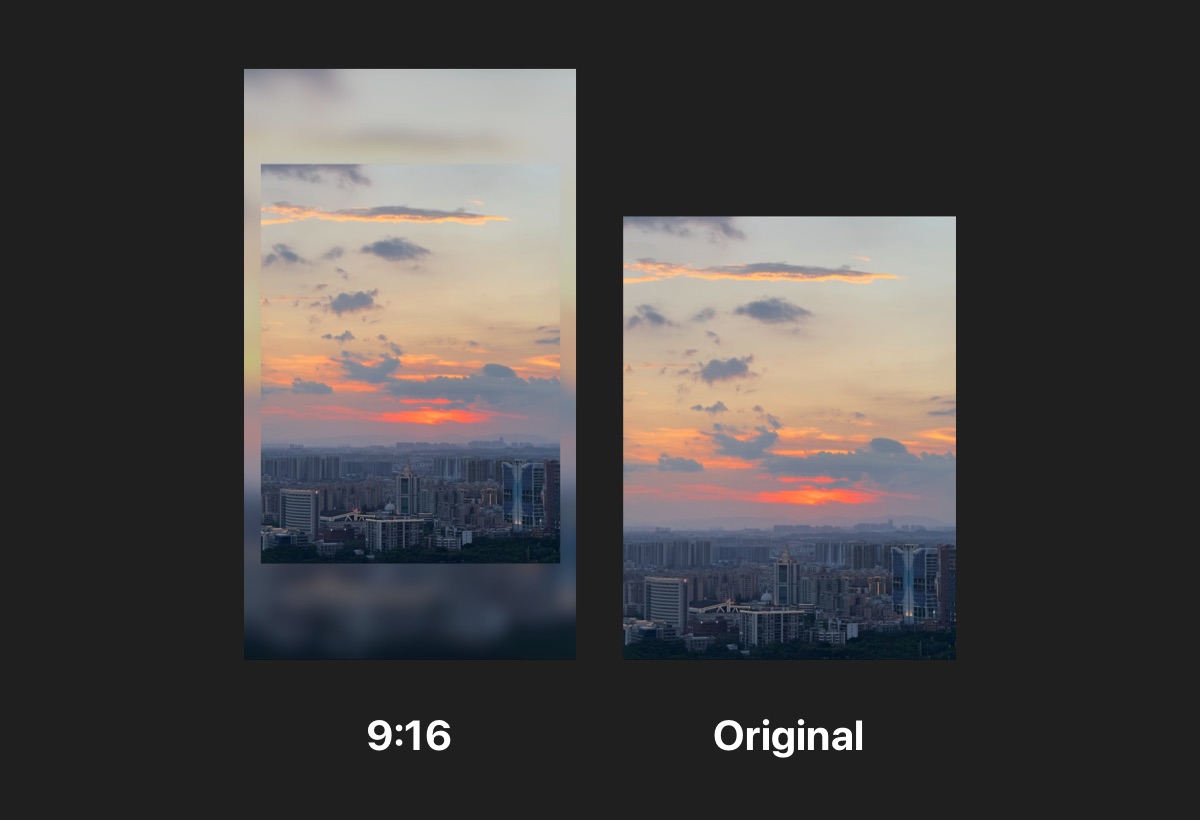
Instagram Stories only supports portrait videos, so we specifically support 9:16 video output. Regardless of the original photo's aspect ratio, it will be centered within a 9:16 "frame" with the background filled with a blur effect, though you can also choose to fill with white or black.